Add it to Claude Code
claude mcp add -e "DATABASE_URL=${DATABASE_URL}" auth-mcp-gateway -- python -m authmcp_gatewayDATABASE_URLMake your agent remember this setup
auth-mcp-gateway's config, env vars, and the gotchas you hit — recalled in every future Claude Code, Cursor, and Codex session.
npx conare@latestFree · one command · indexes the sessions already on disk. Set up in the browser instead →
What it does
- Full MCP protocol proxy supporting tools, resources, prompts, and completions
- OAuth 2.0 and JWT authentication with Dynamic Client Registration (DCR)
- Multi-server aggregation for unified access to multiple backends
- Real-time activity monitoring and performance metrics dashboard
- Role-based access control and per-user rate limiting
Environment Variables
DATABASE_URLrequiredConnection string for the SQLite database used for security events and configurationTry it
Original README from loglux/authmcp-gateway
AuthMCP Gateway
Secure authentication proxy for Model Context Protocol (MCP) servers
AuthMCP Gateway is a full MCP protocol proxy with centralized authentication, authorization, and monitoring. It transparently proxies all MCP capabilities — tools, resources, prompts, and completions — from multiple backend servers through a single authenticated endpoint.
OAuth + DCR ready: the gateway supports OAuth 2.0 Authorization Code flow with Dynamic Client Registration (DCR), so MCP clients like Codex can self-register and authenticate without manual client provisioning.
📋 Table of Contents
- ✨ Features
- 📸 Screenshots
- 🚀 Quick Start
- ⚙️ Configuration
- 💡 Usage
- 🏗️ Architecture
- 🔌 API Endpoints
- 🔐 Security
- 🛠️ Development
- 📊 Monitoring
- 🔧 Troubleshooting
✨ Features
🔗 **Full MCP Protocol Proxy** (v1.2.0)
- Tools -
tools/list,tools/callwith intelligent routing (prefix, mapping, auto-discovery) - Resources -
resources/list,resources/read,resources/templates/list - Prompts -
prompts/list,prompts/get - Completions -
completion/completewith ref-based routing - Dynamic Capabilities - queries backends on
initializeand advertises only what they support - Multi-server aggregation - list methods merge results from all backends; read/get/call routes to the correct one
- Protocol version - MCP 2025-03-26
🔐 **Authentication & Authorization**
- OAuth 2.0 + JWT - Industry-standard authentication flow
- Dynamic Client Registration (DCR) - MCP clients can self-register for OAuth
- User Management - Multi-user support with role-based access
- Backend Token Management - Secure storage and auto-refresh of MCP server credentials
- Rate Limiting - Per-user request throttling with configurable limits
📊 **Real-Time Monitoring**
- Live MCP Activity Monitor - Real-time request feed with auto-refresh
- Performance Metrics - Response times, success rates, requests/minute
- Security Event Logging - Unauthorized access attempts, rate limiting, suspicious activity
- Health Checking - Automatic health checks for all connected MCP servers
🎛️ **Admin Dashboard**
- User Management - Create, edit, and manage users
- MCP Server Configuration - Add and configure backend MCP servers
- Token Management - Monitor token health and manual refresh
- Security Events - View and filter security events
- Security Audit - MCP vulnerability scanning
🛡️ **Security**
- JWT token-based authentication with refresh tokens
- Secure credential storage with encrypted database support
- CORS protection and request validation
- Security event logging and monitoring
- File-based logging - JSON logs for auth & MCP requests with rotation; security events remain in SQLite for audit/queries
📸 Screenshots
<details> <summary><b>🖥️ Dashboard - Real-time Overview</b></summary>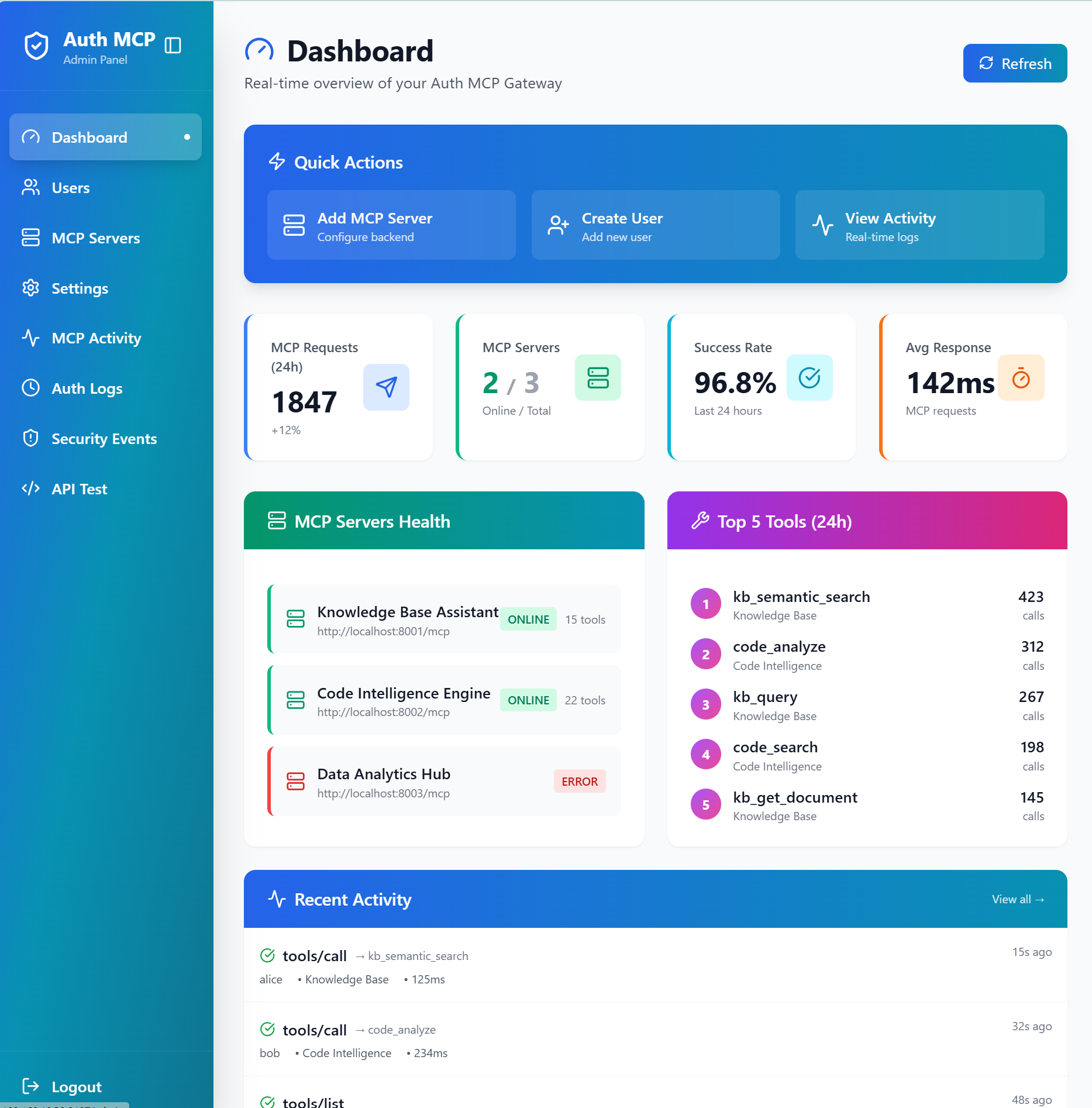
Live statistics, server health monitoring, top tools usage, and recent activity feed
</details> <details> <summary><b>🔧 MCP Servers - Connection Management</b></summary>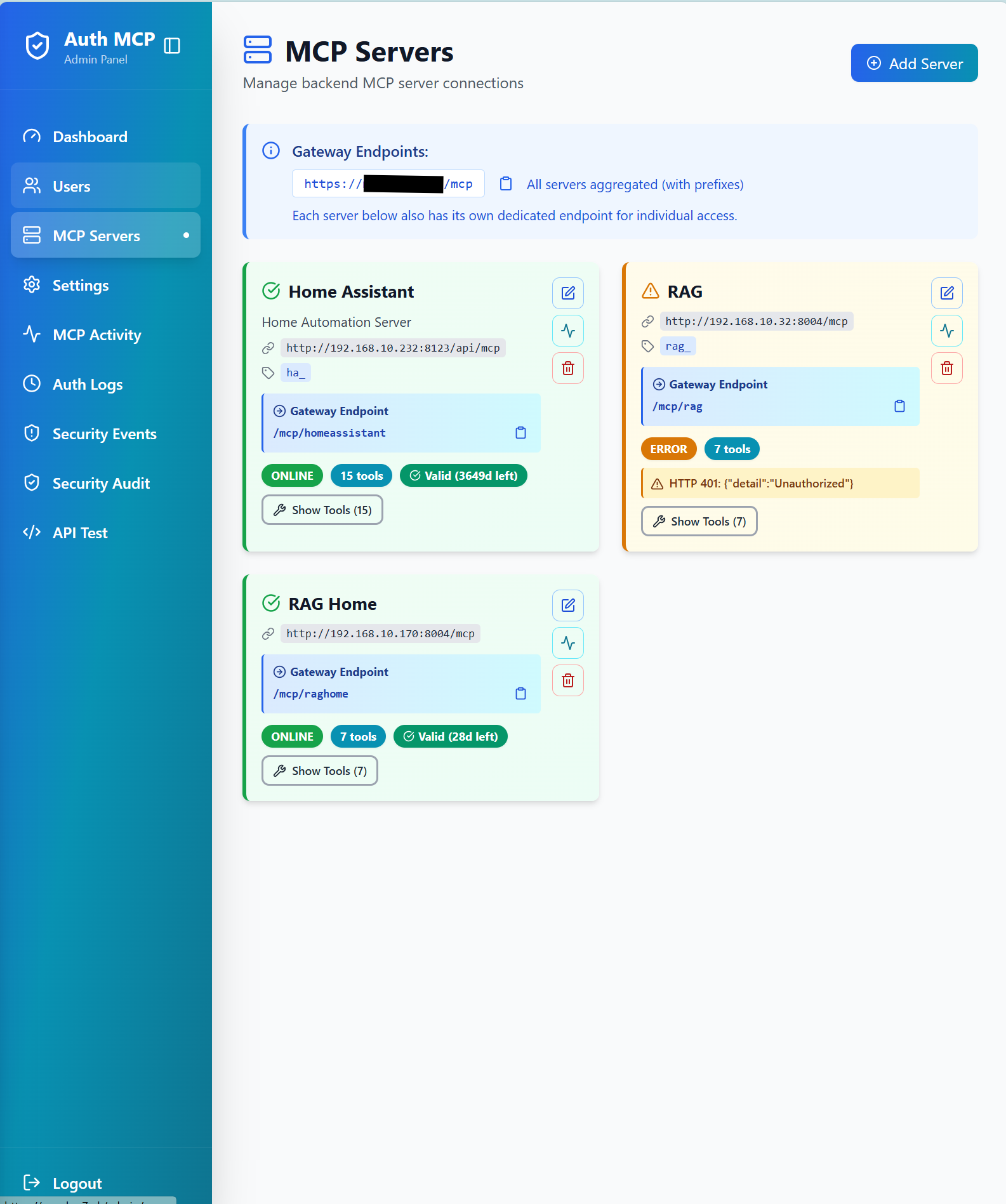
Manage backend MCP server connections with status monitoring and health checks
</details> <details> <summary><b>📊 MCP Activity Monitor - Real-time Request Tracking</b></summary>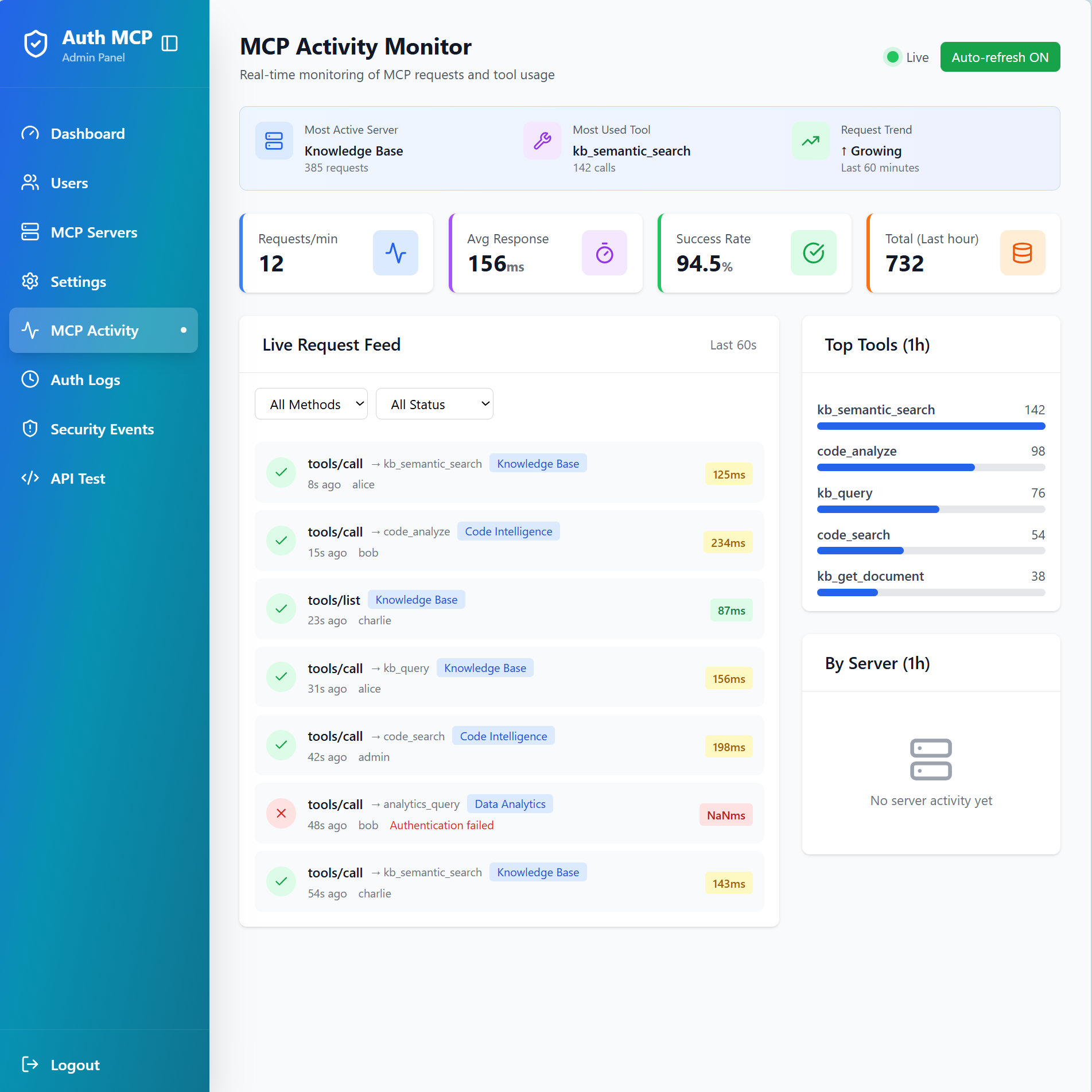
Monitor live MCP requests with detailed metrics, top tools ranking, and request feed
</details> <details> <summary><b>🛡️ Security Events - Threat Detection</b></summary>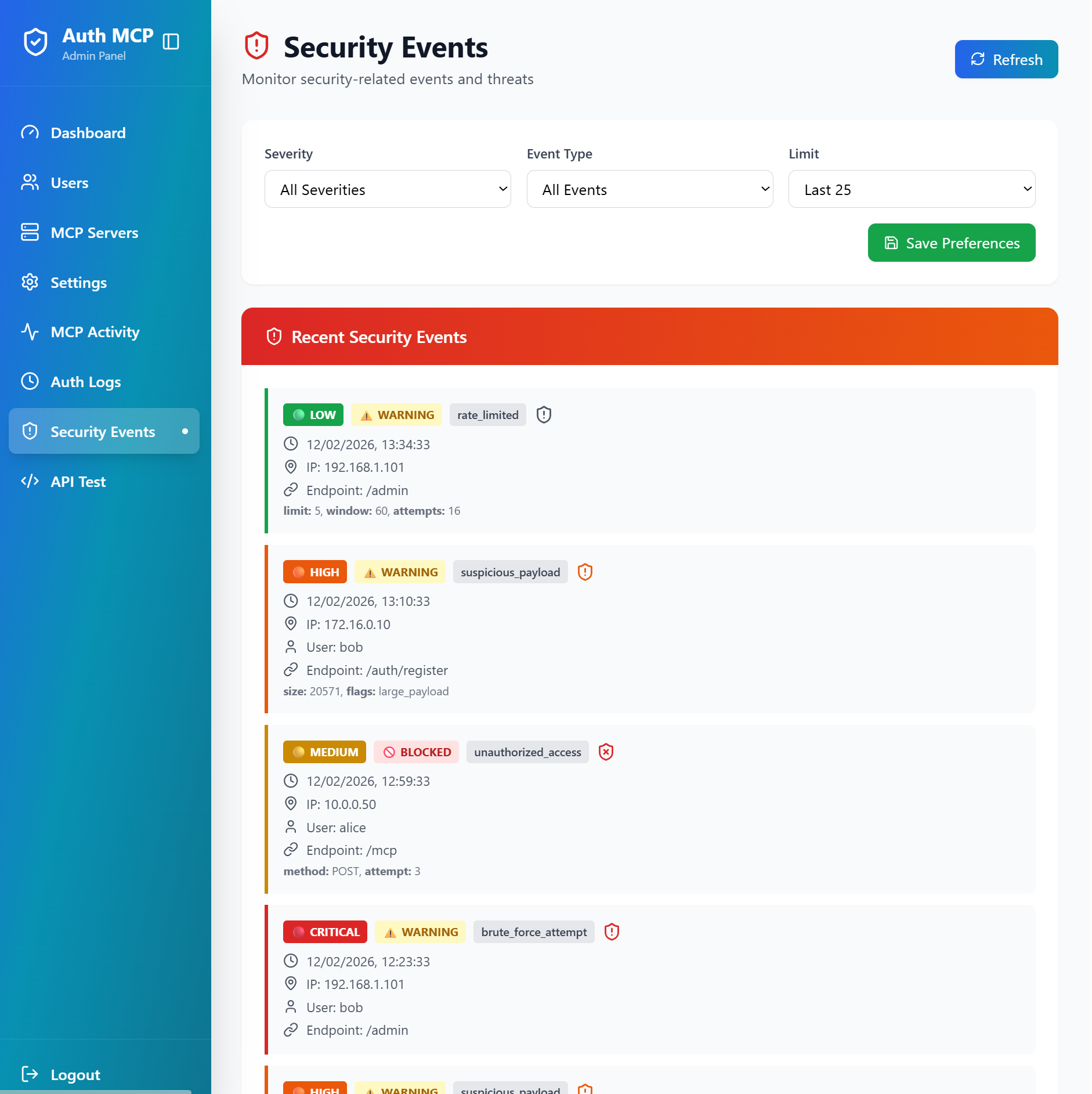
Track security events, rate limiting, suspicious payloads, and unauthorized access attempts
</details> <details> <summary><b>🔒 MCP Security Audit - Vulnerability Scanner</b></summary>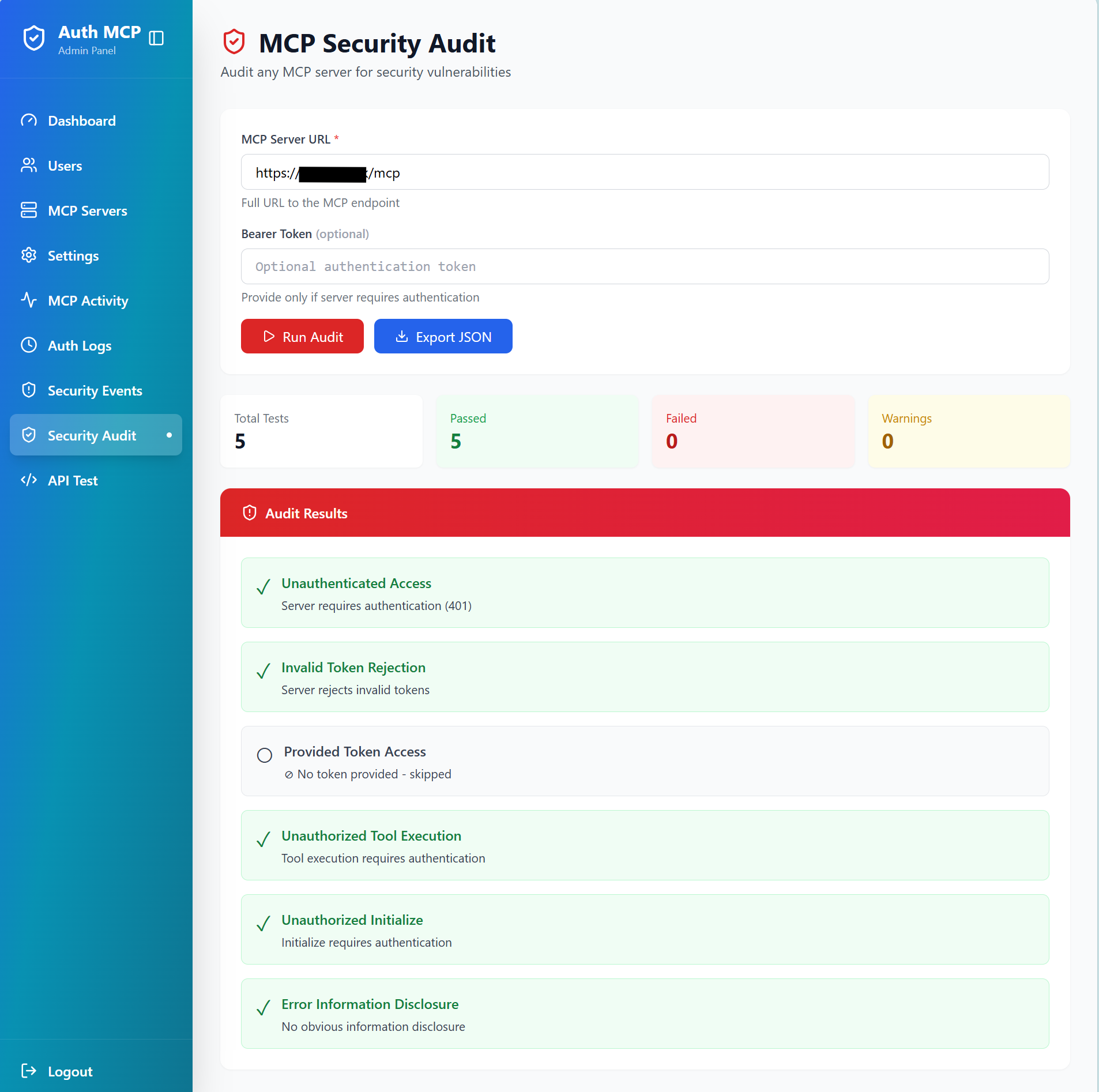
*Test any MCP server for security vulnerabili