1
Add it to Claude Code
claude mcp add edgeone-geo -- tsx path/to/mcp-server/index.ts2
Make your agent remember this setup
edgeone-geo's config, env vars, and the gotchas you hit — recalled in every future Claude Code, Cursor, and Codex session.
npx conare@latestFree · one command · indexes the sessions already on disk. Set up in the browser instead →
What it does
- Integrates EdgeOne Pages Functions with LLMs via MCP
- Retrieves user geolocation data from request context
- Returns location information in structured JSON format
- Provides a dedicated get_geolocation tool for AI models
Tools 1
get_geolocationRetrieves the user's current geolocation information in JSON format using EdgeOne request context.Try it
→Where am I currently located according to the EdgeOne request context?
→Get my current geolocation data.
→Can you fetch my location details using the get_geolocation tool?
Original README from OldandOutdated/mcp-geo1
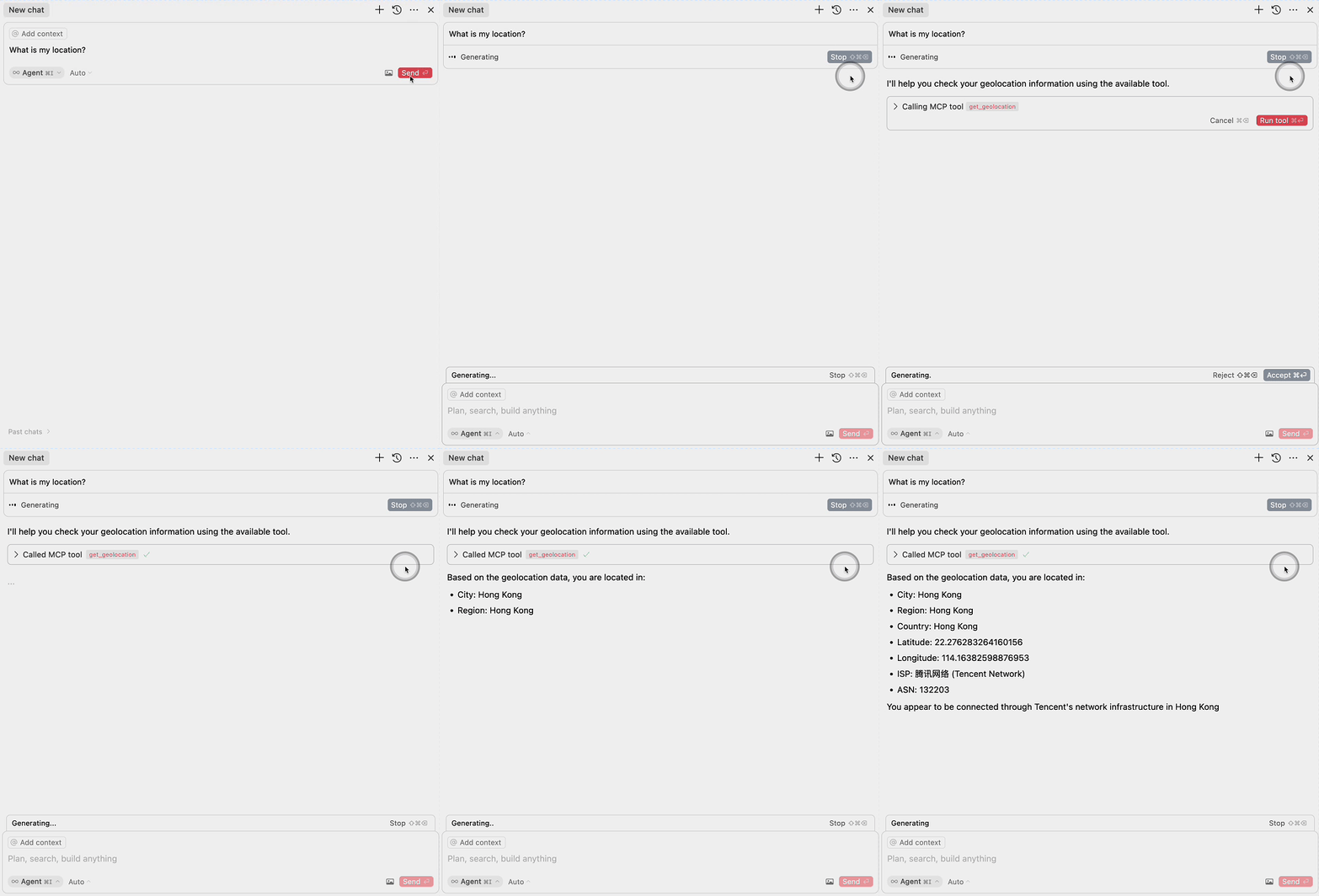
MCP with Pages Functions :Geo Location Demo
This project demonstrates how to use EdgeOne Pages Functions to retrieve user geolocation information and integrate it with large language models through MCP (Model Context Protocol).
Demo
Deploy
More Templates: EdgeOne Pages
Components
1. EdgeOne Pages Functions: Geolocation
The project includes an EdgeOne Pages Function that retrieves user geolocation information:
- Uses the EdgeOne request context to access geolocation data
- Returns location information in a JSON format
- Located in
functions/get_geo.ts
2. MCP Server Integration
The MCP server component provides an interface for large language models to access geolocation data:
- Implements the Model Context Protocol (MCP)
- Exposes a
get_geolocationtool that can be used by AI models - Uses the EdgeOne Pages Function to fetch geolocation data
- Located in
mcp-server/index.ts
MCP Configuration
To use the MCP server with large language models, add the following configuration:
{
  "mcpServers": {
    "edgeone-geo-mcp-server": {
      "command": "tsx",
      "args": ["path/to/mcp-server/index.ts"]
    }
  }
}
Learn More
- EdgeOne Pages
- EdgeOne Pages Functions documentation
- Model Context Protocol (MCP) - Learn about integrating AI models with external tools and services