Prepare the server locally
Run this once before adding it to Claude Code.
git clone https://github.com/TencentEdgeOne/edgeone-pages-mcp.git
cd edgeone-pages-mcp
npm install
npm run buildRegister it in Claude Code
claude mcp add -e "EDGEONE_PAGES_API_TOKEN=${EDGEONE_PAGES_API_TOKEN}" -e "EDGEONE_PAGES_PROJECT_NAME=${EDGEONE_PAGES_PROJECT_NAME}" edgeone-pages -- node /path/to/edgeone-pages-mcp/dist/index.jsReplace any placeholder paths in the command with the real path on your machine.
EDGEONE_PAGES_API_TOKENEDGEONE_PAGES_PROJECT_NAMEMake your agent remember this setup
edgeone-pages's config, env vars, and the gotchas you hit — recalled in every future Claude Code, Cursor, and Codex session.
npx conare@latestFree · one command · indexes the sessions already on disk. Set up in the browser instead →
What it does
- Deploy HTML content and folders to EdgeOne Pages
- Support for full-stack project deployment
- Integration with edge functions and KV storage
- Custom domain and HTTPS support
- Global edge acceleration
Environment Variables
EDGEONE_PAGES_API_TOKENrequiredAPI token for authenticating with EdgeOne PagesEDGEONE_PAGES_PROJECT_NAMErequiredThe name of the project to deploy toTry it
Original README from 15538420886/mcp
EdgeOne Pages MCP
An MCP service for deploying HTML content, folders, or full-stack projects to EdgeOne Pages and obtaining publicly accessible URLs.
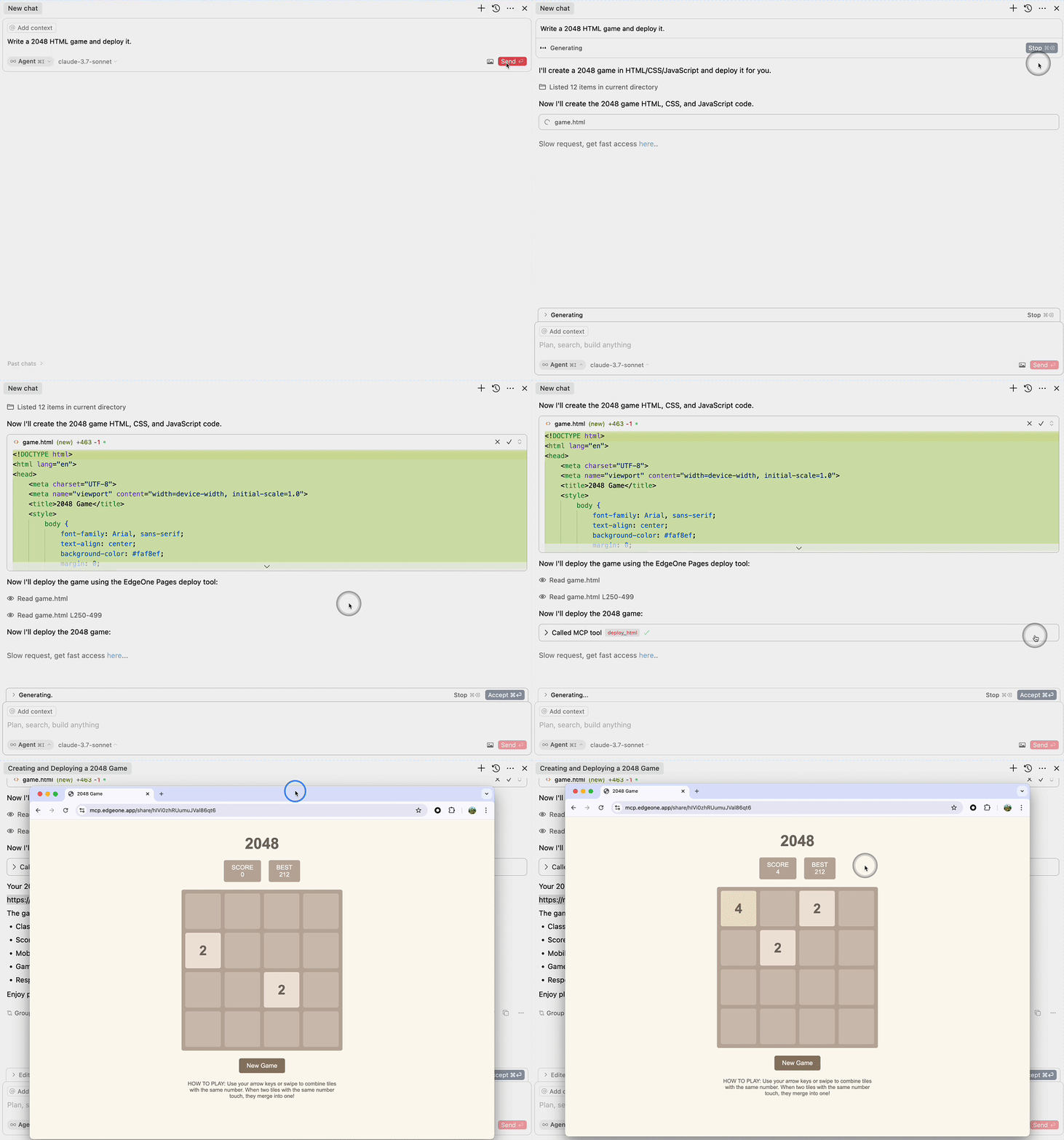
<a href="https://glama.ai/mcp/servers/@TencentEdgeOne/edgeone-pages-mcp"> </a>Demo
Deploy HTML
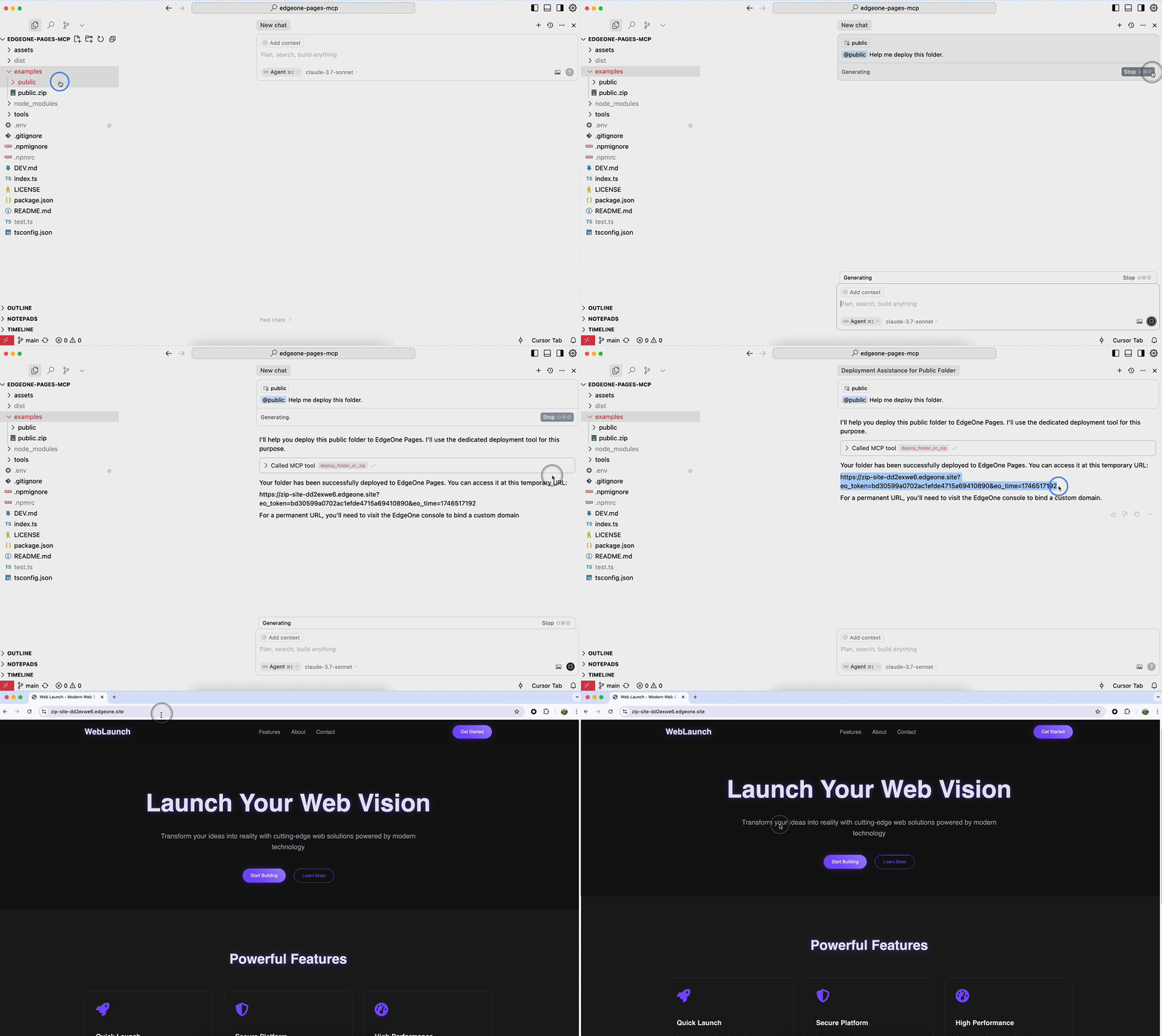
Deploy Folder
Requirements
- Node.js 18 or higher
Deployment on Tencent Cloud
This MCP service supports multiple deployment options. Choose the one that best fits your needs.
Option 1: Deploy Self-Hosted Version to EdgeOne Pages (Recommended)
This is the simplest and fastest deployment method, suitable for scenarios requiring HTTP access.
Step 1: One-Click Deploy to EdgeOne Pages
- Visit the self-hosted repository
- Click the "One-Click Deploy" button to deploy the service to EdgeOne Pages
- Complete the deployment configuration as prompted
Step 2: Configure KV Storage
After deployment, configure KV storage for storing website files:
- Go to EdgeOne Pages console
- Find KV Storage configuration
- Follow the KV Storage Setup Guide
Step 3: Bind Custom Domain (Optional)
- Add a custom domain in project settings
- Configure DNS CNAME record
- Wait for domain verification
- Refer to Custom Domain Binding Guide
Step 4: Configure MCP Client
After deployment, add to your MCP configuration file:
{
  "mcpServers": {
    "edgeone-pages": {
      "url": "https://your-custom-domain.com/mcp-server"
    }
  }
}
Advantages:
- ✅ Zero server maintenance cost
- ✅ Auto-scaling and high availability
- ✅ Global edge acceleration
- ✅ Custom domain and HTTPS support
Option 2: Deploy on Tencent Cloud CVM
Suitable for scenarios requiring full server control or stdio transport.
Step 1: Prepare CVM Instance
- Log in to Tencent Cloud Console
- Create or select a CVM instance
- Recommended configuration:
- OS: Ubuntu 20.04 LTS or CentOS 7+
- CPU: 2 cores or more
- Memory: 4GB or more
- Network: Configure public IP or elastic IP
Step 2: Install Node.js Environment
Ubuntu/Debian:
# Update system packages
sudo apt update

# Install Node.js 18.x
curl -fsSL https://deb.nodesource.com/setup_18.x | sudo -E bash -
sudo apt-get install -y nodejs

# Verify installation
node --version
npm --version
CentOS/RHEL:
# Install Node.js 18.x
curl -fsSL https://rpm.nodesource.com/setup_18.x | sudo bash -
sudo yum install -y nodejs

# Verify installation
node --version
npm --version
Step 3: Deploy MCP Service
# Clone project (or upload project files)
git clone https://github.com/TencentEdgeOne/edgeone-pages-mcp.git
cd edgeone-pages-mcp

# Install dependencies
npm install

# Build project
npm run build

# Configure environment variables
cat > .env << EOF
EDGEONE_PAGES_API_TOKEN=your-api-token-here
EDGEONE_PAGES_PROJECT_NAME=your-project-name
EOF
Step 4: Configure Process Management (Using PM2)
# Install PM2
sudo npm install -g pm2

# Start service
pm2 start dist/index.js --name edgeone-pages-mcp

# Set auto-start on boot
pm2 startup
pm2 save

# Check service status
pm2 status
pm2 logs edgeone-pages-mcp
Step 5: Configure Firewall
# Ubuntu/Debian (UFW)
sudo ufw allow 22/tcp    # SSH
# If using HTTP transport, open corresponding port
# sudo ufw allow 8080/tcp

# CentOS (firewalld)
sudo firewall-cmd --permanent --add-service=ssh
# sudo firewall-cmd --permanent --add-port=8080/tcp
sudo firewall-cmd --reload
Step 6: Configure MCP Client
If using stdio transport (local or SSH):
{
  "mcpServers": {
    "edgeone-pages-mcp-server": {
      "command": "node",
      "args": ["/path/to/edgeone-pages-mcp/dist/index.js"],
      "env": {
        "EDGEONE_PAGES_API_TOKEN": "your-api-token",
        "EDGEONE_PAGES_PROJECT_NAME": "your-project-name"
      }
    }
  }
}
Advantages:
- ✅ Full control over server environment
- ✅ Support for stdio transport
- ✅ Suitable for enterprise intranet environments
Option 3: Deploy Using Tencent CloudBase
Suitable for scenarios requiring quick deployment with Tencent Cloud managed services.
Step 1: Create CloudBase Environment
- Visit Tencent CloudBase Console
- Create a new environment or select an existing one
- Choose Node.js 18+ runtime
Step 2: Deploy Code
- Select "Cloud Functions" in CloudBase console
- Create a new function or upload code
- Configure function entry as
index.js