Add it to Claude Code
claude mcp add flompt -- npx -y @nyrok/flomptMake your agent remember this setup
flompt's config, env vars, and the gotchas you hit — recalled in every future Claude Code, Cursor, and Codex session.
npx conare@latestFree · one command · indexes the sessions already on disk. Set up in the browser instead →
What it does
- Decomposes raw prompts into 12 semantic blocks
- Recompiles blocks into Claude-optimized XML
- Visual flowchart editing for prompt components
- Maps blocks directly to Claude prompt engineering best practices
Tools 2
decompose_promptDecomposes a raw prompt into 12 semantic blocks.compile_promptRecompiles semantic blocks into a Claude-optimized XML prompt.Try it
Original README from Nyrok/flompt
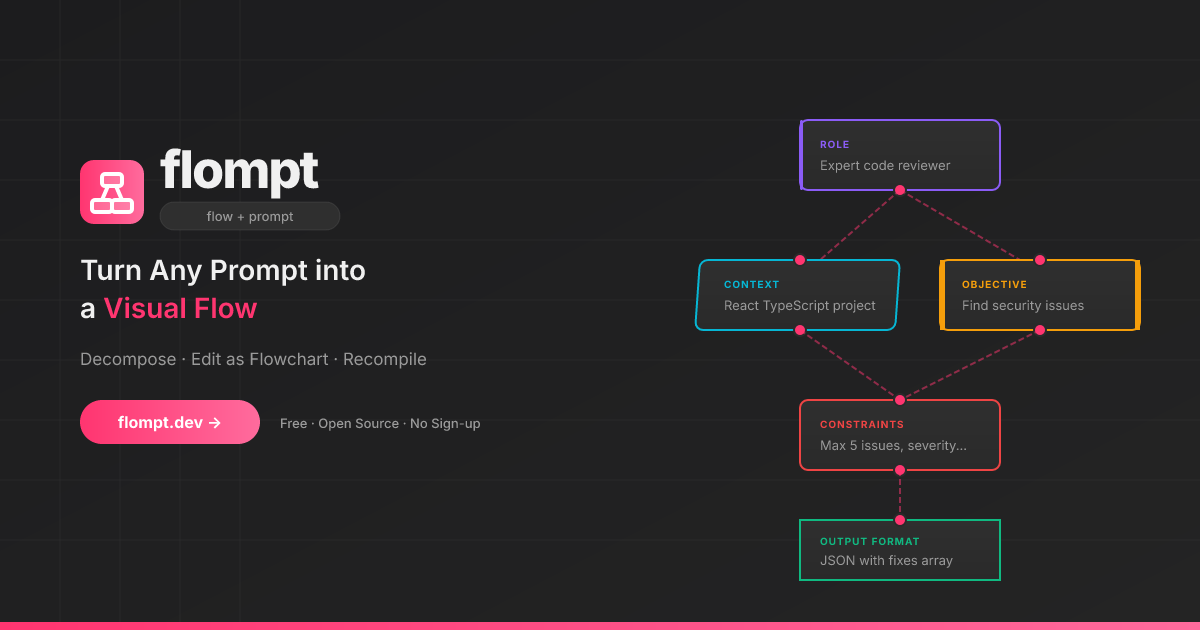
<strong>flow + prompt = flompt</strong> Turn any AI prompt into a visual flow. Decompose, edit as a flowchart, recompile.
<a href="https://github.com/Nyrok/flompt/stargazers"> </a> <a href="https://github.com/sponsors/Nyrok"> </a> <a href="https://glama.ai/mcp/servers/Nyrok/flompt"> </a>🎥 Demo
→ Try it live at flompt.dev — no account, no install needed.
Paste any prompt → AI decomposes it into blocks → drag & reorder → get a Claude-optimized XML prompt.
✨ What is flompt?
flompt is a visual prompt engineering tool that transforms how you write AI prompts.
Instead of writing one long block of text, flompt lets you:
- Decompose: Paste any prompt and let AI break it into structured blocks
- Edit visually: Drag, connect, and reorder blocks in a flowchart editor
- Recompile: Generate a Claude-optimized, machine-ready prompt from your flow
Think of it as Figma for prompts: visual, structured, and built for Claude.
🧩 Block Types
16 specialized blocks that map directly to Claude's prompt engineering best practices:
| Block | Purpose | Claude XML |
|---|---|---|
| Document | External content grounding | <documents><document> |
| Role | AI persona & expertise | <role> |
| Tools | Callable functions the agent can use | <tools> |
| Audience | Who the output is written for | <audience> |
| Context | Background information | <context> |
| Environment | System context: OS, paths, date, runtime | <environment> |
| Objective | What to DO | <objective> |
| Goal | End goal & success criteria | <goal> |
| Input | Data you're providing | <input> |
| Constraints | Rules & limitations | <constraints> |
| Guardrails | Hard limits and safety refusals | <guardrails> |
| Examples | Few-shot demonstrations | <examples><example> |
| Chain of Thought | Step-by-step reasoning | <thinking> |
| Output Format | Expected output structure | <output_format> |
| Response Style | Verbosity, tone, prose, markdown (st |